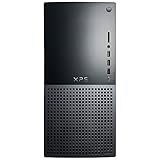
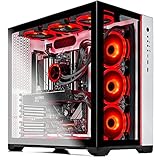
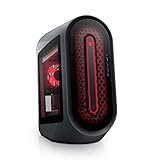
If you are planning to use GSPro as your golf simulator software of choice you will want to make sure that your computer meets the requirements for the quality of graphics you want to achieve.
You also want to make sure your computer at least meets the GSPro minimum requirements for gameplay.
In this article, we’ll go over the GSPro computer requirements plus some additional FAQ related to gaming computers for GSPro.
For example, an NVIDIA RTX 3080ti in a laptop will perform more like an RTX 3070.
Considering that disparity you may want to go with an even higher quality GPU on the laptop than what is recommended for a desktop.
Laptops also don’t cool as well as desktops which can affect performance. You may want to consider a laptop cooling stand to help with that if it’s a problem for you.
[Ultra-portable]: slim, portable, and light weight…
[Ergonomic comfort]: doubles as an ergonomic stand…
[Optimized for laptop carrying]: the high-quality…
[Ultra-quiet fans]: three ultra-quiet fans create…
[Extra USB ports]: extra USB port and Power switch…
You can read How to Choose a Gaming PC for your Golf Simulator for more info on laptops vs desktops.
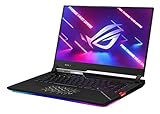
Best Laptops for GSPro at 1080p
The recommended specs for GSPro state an RTX 3060Ti GPU but since a laptop GPU will not perform as well (as described above) these laptops were selected with RTX 3070 or 3070Ti graphics cards.
GSPro (as well as most other golf simulator software) recommend the Nvidia RTX 30 series GPU cards.
I’m not going to pretend to be an expert on GPU’s but what you need to know is the higher the number in the series, the better performance you can expect.
You will also see Nvidia offers “Ti” versions of each graphics card. The Ti version of the card will offer better performance as well.
When comparing the GPU’s different performance specs it may be a little misleading, but this article offers a more in-depth explanation of how the Ti versions outperform the
GSPro Computer FAQ
How Much Hard Drive Space does GSPro Need?
According to the GSPro Computer Requirements they recommend 10GB of free hard drive space, which isn’t much.
Aside from the system itself, the amount of courses that you download in GSPro will determine how much hard drive space you need.
A golf course in GSPro takes up about 500 to 750 MB of hard drive space.
You can download and remove golf courses as needed and it doesn’t take long (depending on your internet speed).
Also, if hard drive space is a concern on your computer, you can move your golf courses to an external hard drive.
Does GSPro Require an Internet Connection?
Yes, GSPro requires an internet connection at startup to verify your license and check for updates. It will also need an internet connection to download courses or while playing a round for the Simulator Golf Tour.
As long as you have an internet connection when you start the program, you can turn it off afterwards to play offline on a golf course that you have already downloaded.
Can you run GSPro on multiple computers?
No, you will need an additional license to run GSPro on another computer.
Will GSPro Work on an iPad or Tablet?
No, GSPro requires a gaming PC to operate. There is not currently an iOS or Android app version of GSPro.
Will GSPro Work on a Mac?
No, GSPro requires a gaming PC with Windows 10 or 11.
Bobby is the founder of FriendlyGolfer.com and is of course an avid golfer. He created the site after building a golf simulator in his garage and developing a passion for the technology that’s helped his game.